

The Art of Interaction Design for Extended Reality: Embracing the Impossible
Sean Keogh · 3 Sept 2024 · 3 min read
User Experience (UX)Designing user interfaces (UI) for Extended Reality (XR) – encompassing Virtual Reality (VR), Augmented Reality (AR), and Mixed Reality (MR) – pushes the boundaries of what is possible. Unlike traditional interfaces limited by physical devices such as keyboards or screens, XR allows designers to create experiences free from these constraints. This flexibility mirrors the revolutionary shift when Steve Jobs introduced the iPhone, eliminating the physical keyboard for a contextual interface. In XR, this idea is expanded: the absence of physical constraints offers designers an open canvas to rethink how users interact with digital content.
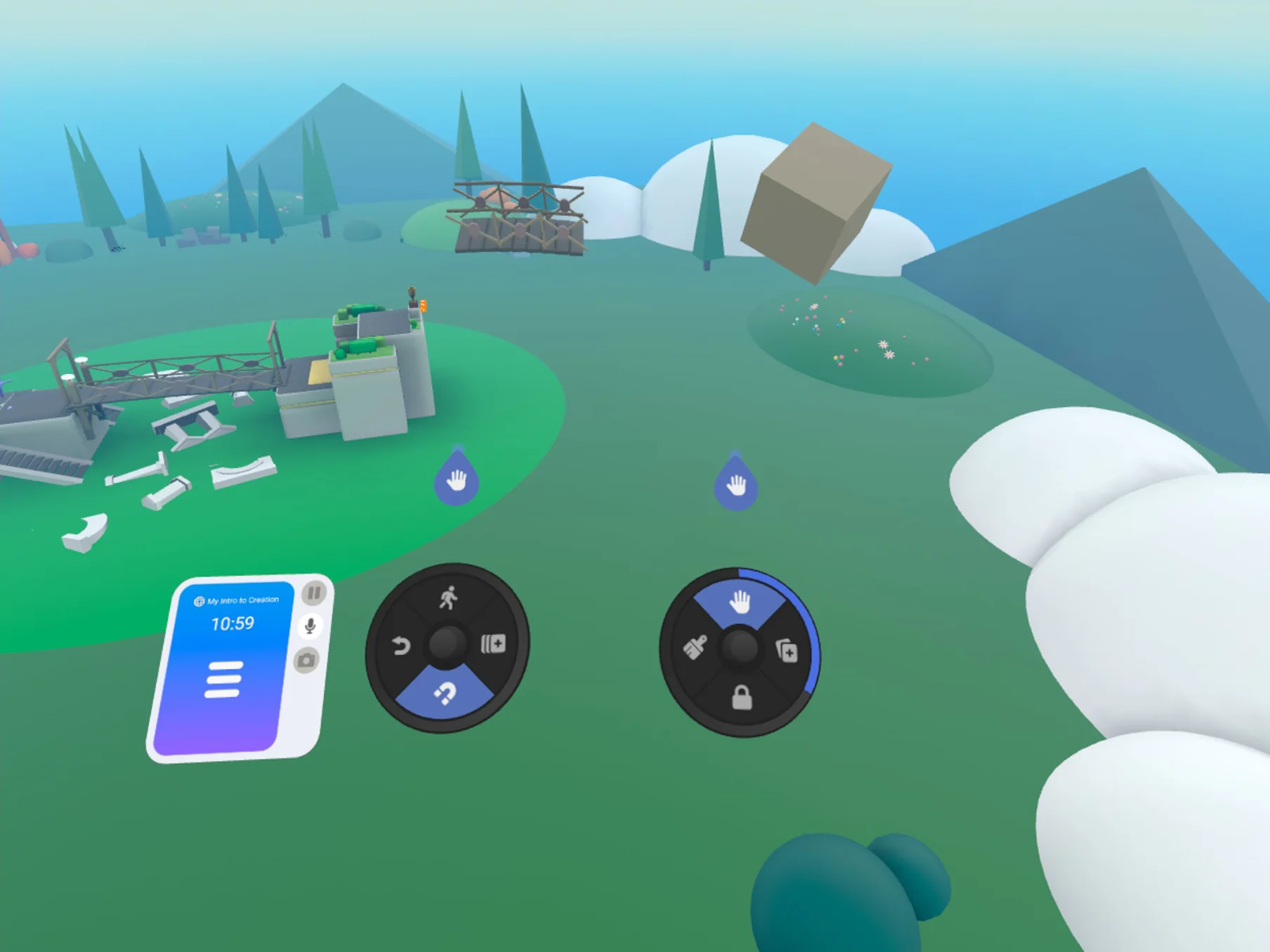
The interface shows you what to expect: Horizon Worlds
Beyond Physical Boundaries
In traditional design, interfaces are restricted by the form of devices—the size of a screen, the number of buttons, or the capabilities of a mouse. In XR, these limitations vanish. Designers can leverage the entire spatial environment, allowing more intuitive and immersive interactions. Users can manipulate objects in virtual space using natural gestures or voice commands, bypassing traditional input methods.
Controllers like those of the Quest 3 demonstrate this flexibility. Buttons can be dynamically reassigned to different functions depending on the user’s context within the XR environment. A button that zooms in on an object in one scenario might select a menu option in another. Menus and UI elements can be placed wherever they are most intuitive for the user—floating in the air or right at their fingertips. This adaptability makes it possible to create interfaces that are as simple or as complex as needed.
Contextual and Intuitive Design
Just as the iPhone freed developers to create context-specific interfaces, XR enables designers to build UIs that are both contextual and intuitive. In applications like Gravity Sketch or the creator mode of Meta’s Horizon Worlds, users interact with 3D objects as if they were physical items. These experiences show how XR interfaces can delight users by aligning with their natural expectations.
This contextual design goes beyond visual elements. In VR training modules, for instance, tools appear as needed and disappear when not in use, creating a seamless and immersive experience. This reduces cognitive load, allowing users to concentrate on their tasks. In contrast, poorly designed XR interfaces that mimic real-world tools too closely can lead to frustration, breaking the immersive experience. XR allows designers to redefine interaction metaphors suited for virtual environments rather than mimicking real-world constraints.
Designing for Delight and Usability
A well-designed XR interface not only fulfills functional needs but also delights the user. This is achieved through intuitive design that aligns with user expectations and goals. In Meta’s Horizon Worlds, for example, creator tools are easily accessible, fostering creativity and exploration. The ease of access ensures users focus on content creation rather than struggling with the interface.
The delight comes from the feeling of empowerment—users feel they are directly manipulating the virtual environment in natural, satisfying ways. This is crucial in XR design, where the goal is to make technology invisible, allowing users to fully engage with the experience.
Embracing the Impossible
The core of XR interaction design is embracing the impossible. Unlike the physical world, where designers are bound by physics and hardware limitations, XR offers a space where these rules don’t apply. Gravity can be adjusted, time can be manipulated, and environments can be infinitely large or small. This creates opportunities for innovative interfaces and interactions impossible in the real world.
Conclusion
The art of interaction design in XR lies in breaking free from the constraints of the physical world and embracing the impossible. By leveraging XR’s unique capabilities, designers can create immersive, intuitive, and delightful experiences beyond what traditional interfaces offer. As XR technology evolves, the potential for innovation in interaction design is boundless. The key is to harness this potential wisely, creating interfaces that are functional and enchanting—simple when needed, complex when necessary. This approach allows designers to redefine digital interactions, opening new worlds of possibility.